

What Actually Happens When You Join a Public Network
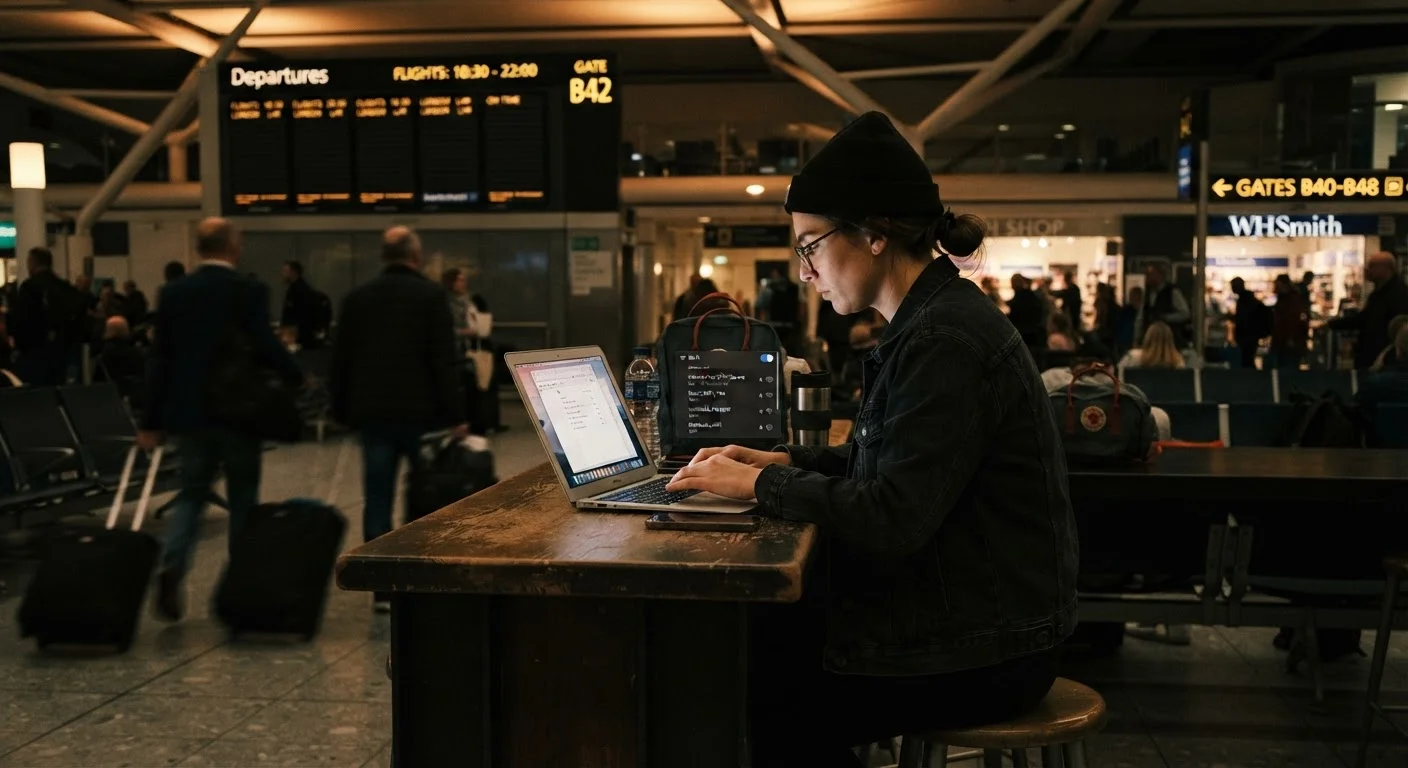
When you connect to a public Wi-Fi network, your device joins a shared environment with every other connected user - whether that's five people or five hundred. Unlike your home router, which you control, a public network is administered by a third party whose security practices you can't verify.
Two categories of risk deserve attention. The first is passive interception: on poorly configured or unencrypted networks, someone with the right software can monitor traffic passing over the air. The second - and often more dangerous - is active attacks, where an attacker doesn't just observe but manipulates your connection.
One common active attack is the rogue hotspot, sometimes called an evil twin. An attacker sets up a Wi-Fi network with a convincing name - say, "CafeGuest" near a coffee shop - and waits for devices to connect automatically. Once you're on their network, they sit between you and the internet, able to see everything that passes through unencrypted.
HTTPS Protects Content, Not Everything
Seeing a padlock icon in your browser means the content of that page is encrypted in transit - a meaningful protection. But it doesn't hide which websites you're visiting, doesn't protect all app traffic, and doesn't mean the network itself is trustworthy. Think of HTTPS as one layer of protection, not a complete solution.
For a broader look at behaviors that quietly erode privacy, see the habits that undermine your online privacy.
What Attackers Can - and Can't - See
Understanding the actual scope of exposure matters. The good news: the widespread adoption of HTTPS (the padlock icon in your browser) means the content of most web pages you visit is encrypted in transit. An attacker intercepting your traffic would see scrambled data, not your passwords or account details.
The less reassuring news: encryption doesn't make you invisible. Attackers can still observe:
- Which websites you're visiting - domain names are often visible even over HTTPS via DNS queries
- How much data you're transferring - which can hint at activity type
- Unencrypted app traffic - not every mobile app uses HTTPS; some transmit data in plaintext
- Your device's identity - MAC addresses and device fingerprints can be logged
If you're curious about what happens after data is actually captured, what happens when a data breach exposes your information explains the downstream consequences.
25%
Public hotspots using no encryption
Analyses of global Wi-Fi networks have consistently found a significant share of public hotspots operate without encryption, leaving traffic more exposed to passive interception.
1 in 4
Users who access financial accounts on public Wi-Fi
Consumer surveys in the US have found roughly a quarter of public Wi-Fi users perform banking or financial activity on these networks without additional protections.
~60%
Adults using public Wi-Fi regularly
A Pew Research Center survey found a majority of American adults use public Wi-Fi networks, making awareness of the associated risks broadly relevant.
The Situations Where Risk Is Meaningfully Higher
Not all public Wi-Fi use carries the same risk level. Checking a weather app is different from logging into your bank. Here's how to think about the exposure gradient:
- Higher risk activities
- Online banking, accessing work systems, entering payment details, logging into email or healthcare portals, using apps that store sensitive personal data
- Lower risk activities
- Reading news articles, watching streaming video on apps with HTTPS, general browsing of public-facing websites
The practical principle: if a breach of that session could cost you money, your job, or your identity, reconsider doing it over public Wi-Fi. Switching to your phone's mobile data for sensitive tasks is often the simplest mitigation available. For a direct comparison of when each connection type makes sense, see Wi-Fi vs. mobile data.
Quick Rule for High-Stakes Tasks
Before entering a password, payment detail, or sensitive account credential, ask yourself: would I hand this information to a stranger in this room? If the answer is no, switch to your phone's mobile data connection before proceeding. This single habit eliminates a large portion of the practical risk from public Wi-Fi.
Practical Steps That Meaningfully Reduce Your Exposure
You don't need to be a security professional to reduce your risk on public networks. A few consistent habits provide most of the protection that matters.
- Use a reputable VPN. A virtual private network encrypts the traffic leaving your device before it hits the public network, making interception far more difficult. Our guide to what VPNs can and can't do for your privacy covers what to look for and what VPNs don't solve.
- Verify the network name before connecting. Ask staff for the exact network name rather than picking the most recognizable option from your list - rogue hotspots rely on names that look plausible.
- Disable auto-join for public networks. Both iOS and Android allow you to prevent your device from automatically reconnecting to previously used networks. This stops your phone from silently joining a rogue copy of a network you've used before.
- Keep your device's software updated. Operating system updates frequently patch vulnerabilities that attackers exploit on shared networks.
- Switch to mobile data for sensitive tasks. Cellular connections are significantly harder to intercept than Wi-Fi.
For a structured review of your broader digital security habits, a full online safety audit checklist is a useful next step. And for deeper device-specific guidance, see keeping your devices secure on public Wi-Fi.
Frequently Asked Questions
It depends on what you're doing and how the network is set up. On networks using older or no encryption, a skilled attacker could intercept unencrypted traffic. Most web browsing is now protected by HTTPS, but app traffic, DNS queries, and metadata can still leak information about your activity.
Not necessarily. The risk profile is similar across all public networks. Larger venues may have more users, which can actually attract more opportunistic attackers. The key variable is whether the network uses strong encryption and whether you're taking precautions - not the venue's reputation.
A VPN significantly reduces the risk of traffic interception by encrypting your connection between your device and the VPN server. However, it doesn't protect against every threat - malware, phishing, and poor password practices remain risks regardless. Our article on <a href="/technology/online-safety/vpns-what-they-can-and-cant-do-for-your-privacy">what VPNs can and can't do</a> explains the limits in more detail.
A rogue hotspot is a fake Wi-Fi network set up by an attacker to mimic a legitimate one - for example, naming a network 'Airport_Free_WiFi' in a terminal. When you connect, the attacker can intercept your traffic. These are also called 'evil twin' attacks and are relatively simple to execute with basic equipment.
Avoiding it entirely is impractical for most people. The more useful approach is to understand when the risk is acceptable - general browsing carries lower risk - and when to use an alternative, like mobile data, for sensitive tasks such as banking or logging into work systems.
Generally, yes. Cellular connections use strong carrier-level encryption and are harder to intercept than Wi-Fi. For high-stakes activity when you're away from home, switching to mobile data is a practical and effective risk-reduction step.
The content on this site is for informational purposes only and is not a substitute for professional advice. Always consult a qualified professional for guidance specific to your situation.