

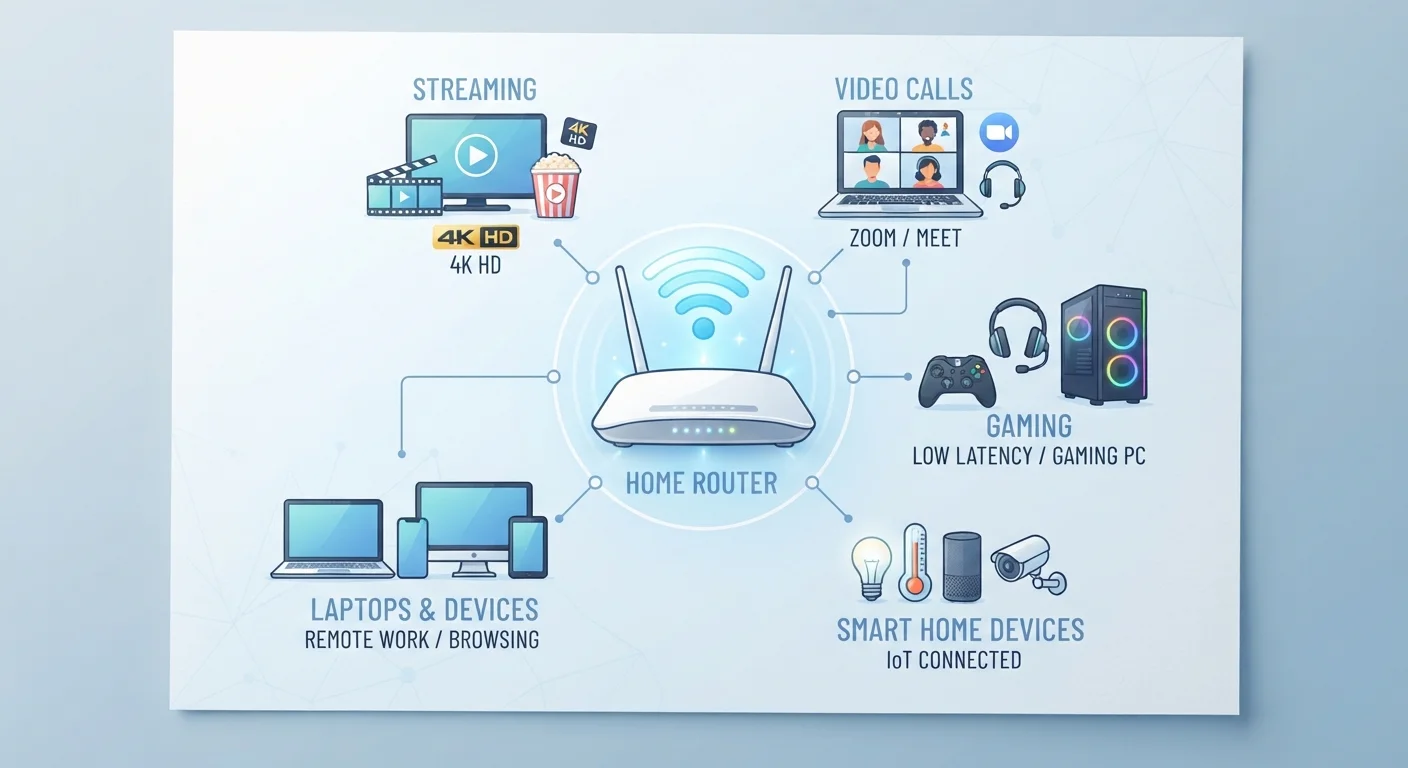
Why Bandwidth Requirements Vary by Activity
Not all internet activity demands the same amount of bandwidth. Sending an email uses a negligible amount of data; streaming 4K video to three TVs simultaneously is a fundamentally different challenge. Understanding these differences helps you evaluate whether your current plan is genuinely adequate - or oversized for your actual needs.
Two numbers matter most on any internet plan: download speed (data flowing to your devices) and upload speed (data sent from your devices). Most household activities are download-heavy, but video calls and remote work tools rely heavily on upload performance as well. For a deeper look at how connection technology affects these numbers, see our guide on fiber, cable, DSL, and fixed wireless.
| FCC Broadband Threshold | 100 Mbps download / 20 Mbps upload (FCC updated definition, 2024) |
| 4K Streaming per Stream | ~25 Mbps download (Industry platform guidelines) |
| HD Video Call (upload) | 3-4 Mbps per participant (General platform recommendations) |
| Average US Home Devices | ~17 connected devices (Deloitte Digital Media Trends, 2023) |
| Cloud Gaming Latency Target | Under 50 ms (Common industry benchmark) |
| Smart Security Camera Upload | 2-4 Mbps per camera (General manufacturer guidance) |
Speed Requirements by Activity
The figures below reflect general industry guidance for reliable performance. Actual needs can vary by platform, device, and network congestion.
Streaming Video
- SD (480p): ~3 Mbps download per stream
- HD (1080p): ~5-8 Mbps download per stream
- 4K/UHD: ~25 Mbps download per stream
Video Calls
- Standard one-on-one call: 1-2 Mbps upload and download
- HD group call: 3-4 Mbps upload and download per participant
Online Gaming
- Minimum: 3-6 Mbps download, 1-3 Mbps upload
- Competitive/cloud gaming: 15-25 Mbps download, low latency (under 50 ms) matters more than raw speed
Remote Work & Productivity
- Email, documents, light web browsing: 5-10 Mbps download is generally sufficient
- Large file uploads, cloud storage sync: 10-25 Mbps upload recommended
- Video-heavy collaboration tools: follow video call guidelines above
Smart Home Devices
- Smart speakers, thermostats, sensors: under 1 Mbps each; low bandwidth but adds up with many devices
- Smart doorbells and security cameras (1080p): 2-4 Mbps upload per camera for continuous recording
Download Speed
The rate at which data travels from the internet to your devices, measured in Megabits per second (Mbps). Most household activities - streaming, browsing, gaming - primarily consume download bandwidth.
Upload Speed
The rate at which data travels from your devices to the internet. Video calls, cloud backups, and remote work file sharing all depend on adequate upload speed.
Latency
The delay, measured in milliseconds (ms), between sending a data request and receiving a response. Low latency is especially important for real-time activities like gaming and video calls.
Bandwidth
The maximum capacity of your internet connection - how much data can pass through at once. Think of it as the width of a pipe; more devices and heavier activities require more bandwidth.
Mbps
Megabits per second - the standard unit used to measure internet connection speeds. One Megabit equals one million bits of data.
Estimating Needs by Household Size
A single person streaming HD video and browsing the web may function comfortably on a 25-50 Mbps plan. A household with multiple simultaneous users - remote workers, gamers, and streaming TVs all running at once - typically benefits from 200 Mbps or more.
~17
Average connected devices per US home
According to Deloitte's Digital Media Trends survey (2023), the average American household has roughly 17 connected devices - a figure that has grown significantly over the past decade.
25%
US remote workers requiring strong upload
Pew Research Center data indicates that roughly a quarter of US workers perform their jobs remotely at least part of the time, increasing demand for reliable upload speeds at home.
4K
Most data-intensive common streaming format
4K UHD streaming consumes roughly 5-8 times more bandwidth per stream than standard definition, making it the single largest contributor to household bandwidth demand in most homes.
A practical rule of thumb: add up the peak simultaneous demands from the activity table above, then build in at least 20-30% extra headroom for background updates, smart devices, and unexpected usage spikes. Keep in mind this is general guidance, not a guarantee of performance - actual results depend on your connection type, router quality, and in-home wiring. Our article on common myths about home internet speed addresses why a higher plan number doesn't automatically translate to a faster experience.
Upload speed is often overlooked when choosing a plan. Households with remote workers or frequent video callers should pay close attention to upload figures, not just download. For context on when your home network versus cellular data makes more sense, see Wi-Fi vs. mobile data.
Advertised Speed vs. Real-World Performance
ISPs advertise maximum or "up to" speeds, but your actual experience depends on factors like network congestion, router placement, and the number of simultaneous users. Running a speed test at different times of day gives a more accurate picture of your connection's real capacity. If measured speeds fall significantly below your plan's advertised rate, it's worth contacting your provider or checking your equipment.
For a comprehensive overview of everything that shapes your home internet experience - from equipment to troubleshooting - visit everything that shapes your home internet experience.
The content on this site is for informational purposes only and is not a substitute for professional advice. Always consult a qualified professional for guidance specific to your situation.