

Our Verdict
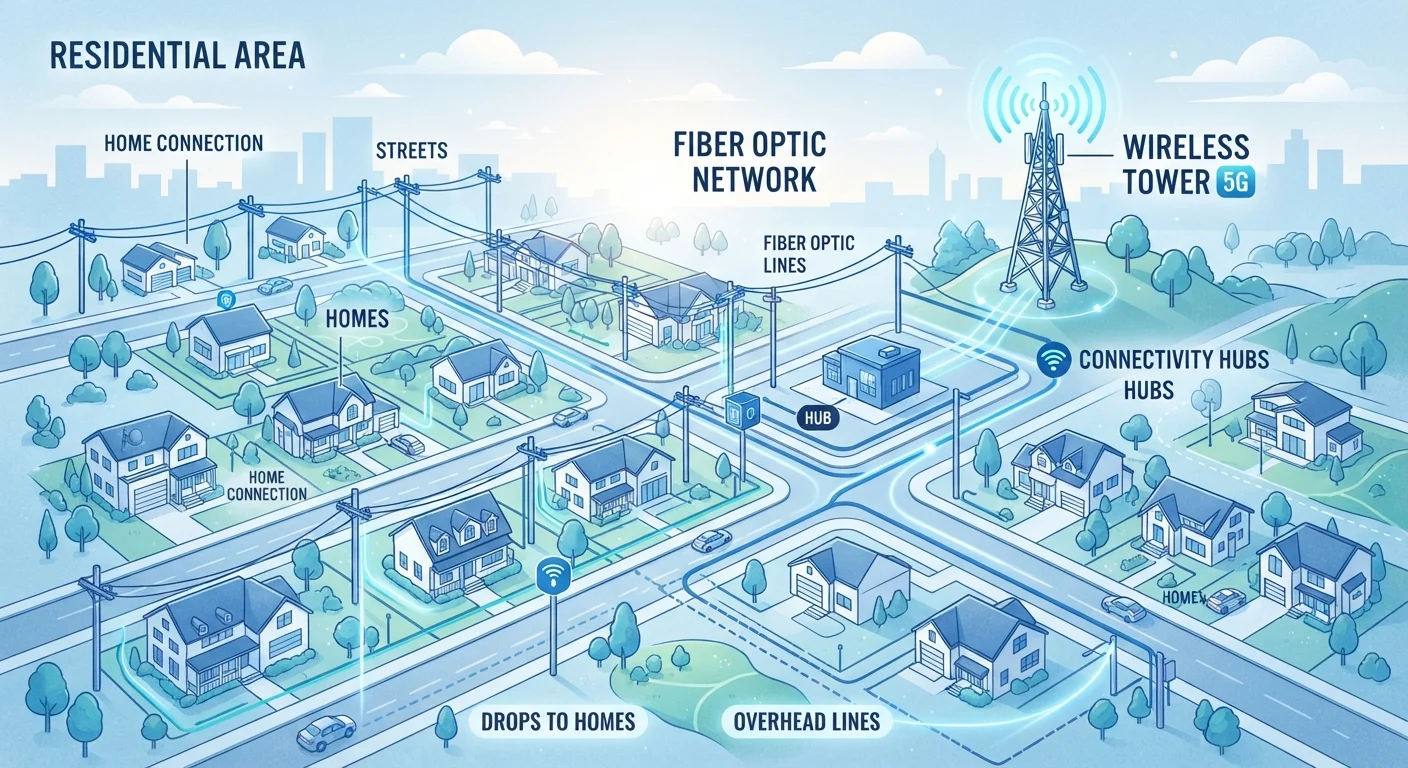
No single internet technology is universally best - each involves trade-offs between speed, reliability, price, and geographic availability. Fiber delivers the strongest all-around performance where it exists; cable is a capable mainstream option; DSL serves areas without wired alternatives; and fixed wireless fills critical gaps in rural and underserved communities. Understanding how each technology works helps you set realistic expectations and negotiate your service more confidently.
| Best for | Recommended |
|---|---|
| Households with heavy streaming, gaming, or remote work demands | Fiber |
| Urban and suburban users without fiber access | Cable |
| Residents in areas where fiber and cable aren't available | DSL |
| Rural households underserved by wired infrastructure | Fixed Wireless |
Why the Underlying Technology Matters
When you sign up for home internet service, you're not just choosing a price plan - you're choosing a physical delivery method. The technology carrying data to your home determines your realistic speed ceiling, how stable your connection is during busy periods, and what kinds of tasks your household can comfortably handle. Understanding these differences helps you interpret ISP marketing claims more critically and make a more grounded choice.
For a broader look at every factor that shapes your home connection, see everything that shapes your home internet experience. And if terms like Mbps or latency feel unclear, this plain-language breakdown of plan numbers is worth reading first.
| Fiber | Cable | DSL | Fixed Wireless | |
|---|---|---|---|---|
| How signal travels | Light pulses through glass strands | Electrical signal over coaxial cable | Electrical signal over copper phone lines | Radio waves through the air |
| Typical download speeds | 200 Mbps-5 Gbps+ | 100 Mbps-1.2 Gbps | 5-100 Mbps | 25-100 Mbps (varies widely) |
| Upload speed parity | Symmetrical (equal up/down) | Often asymmetrical (slower upload) | Asymmetrical (much slower upload) | Often asymmetrical |
| Latency | Very low (1-10 ms typical) | Low to moderate (10-30 ms) | Moderate (25-50 ms) | Moderate to variable (20-50 ms+) |
| Congestion risk | Low - dedicated line | Higher - shared neighborhood node | Low to moderate | Moderate - shared tower capacity |
| Typical US availability | ~43% of households | ~89% of households | ~87% of households | Growing, especially rural areas |
| Infrastructure needed | New fiber line to home | Existing coax network | Existing phone line | Antenna/receiver at home |
Fiber: Light-Speed Data Through Glass
Fiber optic internet transmits data as pulses of light through thin glass or plastic strands. Because light experiences virtually no electrical interference and travels at extraordinary speed, fiber delivers the lowest latency and most consistent performance of any mainstream residential technology. Crucially, fiber connections are typically symmetrical - meaning upload and download speeds are equal. That matters significantly for video calls, cloud backups, and remote work.
The primary limitation is availability. As of recent Federal Communications Commission (FCC) data, fiber passes roughly 43% of U.S. housing units, with deployment concentrated in urban and suburban markets. Expansion is ongoing, but the cost of trenching new cable means some regions face long waits. For a head-to-head look at fiber against its most common competitor, see Fiber vs. Cable Internet: What Sets Them Apart at Home.
Check Symmetry Before You Commit
If you regularly upload large files, back up data to the cloud, or work from home on video calls, pay close attention to a plan's upload speed - not just the download figure. Fiber is currently the only mainstream residential technology that routinely offers equal upload and download speeds. Asking providers specifically about upload speeds before signing up can prevent frustration later.
Cable: Broad Reach, Shared Infrastructure
Cable internet runs over the same coaxial cable network originally built for television service. It's the most widely available high-speed option in the U.S., reaching approximately 89% of households. Speeds are genuinely fast - many cable plans offer download rates between 100 Mbps and 1.2 Gbps - but the architecture involves a shared node serving multiple homes simultaneously. During peak evening hours, that shared capacity can translate to noticeably slower speeds.
Upload speeds on cable are typically much lower than download speeds - an asymmetry baked into how the cable spectrum is allocated. If your household relies heavily on uploading large files or participating in video conferences, this gap is worth factoring into your decision. Some cable operators are deploying newer DOCSIS 3.1 and multi-gigabit DOCSIS 4.0 standards that improve symmetry, though rollout varies by market.
DSL: Phone Lines Repurposed for Broadband
Digital Subscriber Line (DSL) technology uses existing copper telephone wiring to carry internet data on a separate frequency from voice calls. Because telephone infrastructure is nearly ubiquitous in the U.S., DSL reaches a wide share of the population, including many rural households that lack cable access.
The trade-off is speed. DSL performance degrades meaningfully with distance from the provider's central office - households close by might achieve 50-100 Mbps, while those farther away may see only 5-15 Mbps. For light browsing and email, DSL may be adequate. For streaming in 4K or large households with multiple simultaneous users, it often struggles. If DSL is your current connection and you're troubleshooting inconsistent performance, this outage troubleshooting guide can help identify whether the issue is equipment or line quality.
Fixed Wireless: Broadband Over the Air
Fixed wireless internet delivers a broadband signal via radio waves from a local tower or transmitter to a receiver antenna installed at your home. Unlike mobile data, fixed wireless is designed as a stationary home service with consistent antenna alignment - which is why it can reach speeds competitive with entry-level cable in favorable conditions.
Availability is strongest in rural and exurban areas where laying physical cable is cost-prohibitive. Performance can be affected by line-of-sight obstacles such as trees or terrain, weather conditions, and how many users share a tower's capacity. Newer 5G fixed wireless deployments from cellular carriers are expanding this category into suburban markets, though speeds and reliability vary considerably by location and network load.
Fixed Wireless Speeds Can Vary Significantly
Advertised fixed wireless speeds are often listed as 'up to' figures that assume ideal conditions - clear line of sight to the tower, low tower congestion, and favorable weather. Actual speeds at your location may differ considerably. Where possible, ask providers about typical speeds during peak hours and whether a trial or cancellation window is available before you commit to a long-term plan.
How to Determine What's Actually Available at Your Address
National availability statistics don't tell you what's serviceable at your specific address. The FCC's Broadband Map (broadbandmap.fcc.gov) is a publicly accessible starting point, but on-the-ground availability can differ from what's reported. The most reliable method is to check directly with providers that serve your area and confirm serviceability at your address before committing.
Once you know your options, reading any service agreement carefully is essential. Data caps, promotional pricing windows, and early termination fees can significantly affect the total cost of service. Our guide on how to read and understand your ISP contract walks through the terms most likely to catch consumers off guard. If you're new to home internet or switching providers, Home Internet From the Ground Up offers a structured overview of the decision process. And once your service is running, common myths about home internet speed can help you separate marketing claims from realistic expectations.
The content on this site is for informational purposes only and is not a substitute for professional advice. Always consult a qualified professional for guidance specific to your situation.